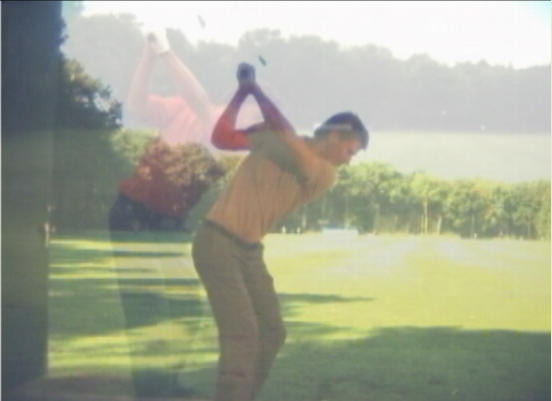
- Any sport... Any camera! |
- Works on All Windows and Mac OS


MotionPro! is the ideal swing analysis and motion analysis software for golf.
If you want to improve your skills as a player or as a coach then you need video feedback.
Are you looking for golf swing software or video analysis software to help you coach or teach golf? Then look no further! The applications for MotionPro! are limited only by your imagination.
Whether you are a professional coach or a serious player looking for ways to improve your game, isn't it time to put video analysis technology to work for you?
Use software similar to what Professional coaches use, for a fraction of the cost.
Calculate Golf Club Speed from video
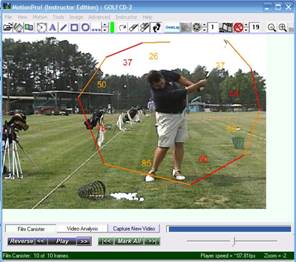
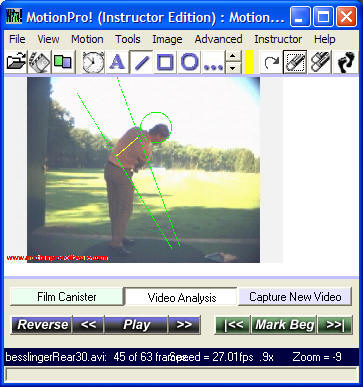
There are many approaches to analyzing the golf swing. By playing the sequence in slow motion and using the drawing tools you will be able to analyze each important aspect of the golf swing. The "Autoreverse" feature is an especially powerful aid in focusing on the movements within each portion of your swing. Below are some suggestions for swing analysis along with actual images of an amateur golfer.
Spine Angle
A line has been added to observe the spine angle. The golfer should
maintain his spine parallel to this line as closely as possible throughout the
backswing and downswing toward impact, and immediately thereafter. This angle
is usually what is lost when you hear people telling you to "keep your head
down".
Position at "the top"
The hands should ideally be positioned on, or very close to the top line
of the swing plane. This golfer has a tendency to keep his hands too low
during the takeaway. The hands need to be closer to the top line. You will
also note that he has not kept his initial spine angle as well as he should
(i.e. he has "stood up" slightly).
Knee Flex
The back knee should maintain it's flex throughout the takeaway. Many
amateur golfers tend to "stand up" on their back leg, causing the "reverse-C"
pivot and subsequent loss of power. A green line has been added to draw
attention to the knee
flex.
Impact Position
Here you will see exactly what it looks like at 'the moment of truth".
This golfer has come "up" very slightly, losing some of the the spine angle he
had at address and at the top of swing position... not bad... but not quite perfect. Ideally the
yellow line should be
centered in the base of the neck, at the top of the spine at this moment. Look
closely and you can see the golf ball on it's way!
Face-On Setup Analysis
This view allows you to analyze your hand position, ball position, etc.
This golfer has the ball positioned correctly in his stance, just slightly to
the front of "center", although as he progresses he will likely want
to move the ball even farther forward (toward the target). Note that the hands are slightly ahead of the ball
position as well (middle line).
Top of the Backswing Analysis
You will see the extent to which you are "swaying" during the takeaway,
and how close to "parallel" you stop the club at the top of the takeaway. This
golfer has stood up ever so slightly (compare head position with previous
image).
Impact Position
Analyze the "moment of truth"! The golfers weight should be behind the
ball but moving toward the target. A good body turn is evident with the hips
and chest pointing slightly toward the target.
Side by side comparison with a pro at
the moment of impact as "exported"
from MotionPro. There is definitely room for improvement
With the MotionPro! there are endless possibilities for analyzing your swing. Keep a video library of your swing over time and you will see the changes as you make progress!
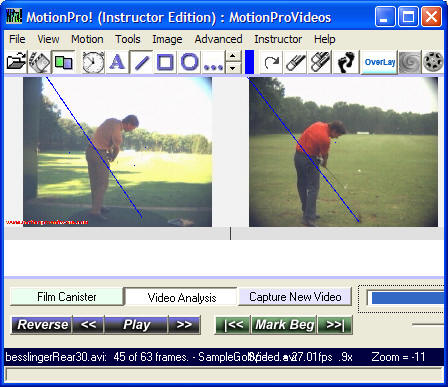
Do a Side By Side synchronizing the Swings of both Players!
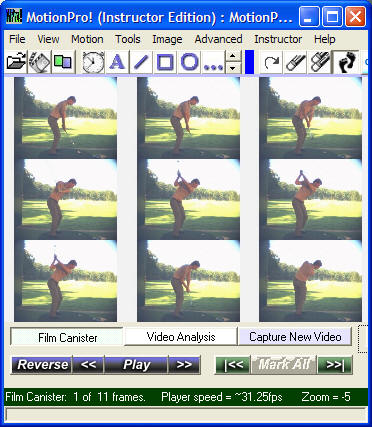
Get the Nine Points of your Swing at the Click of a Button!
Mark up your video with various drawing tools!
Overlay Any video on top of another...Move video's anywhere on the screen..